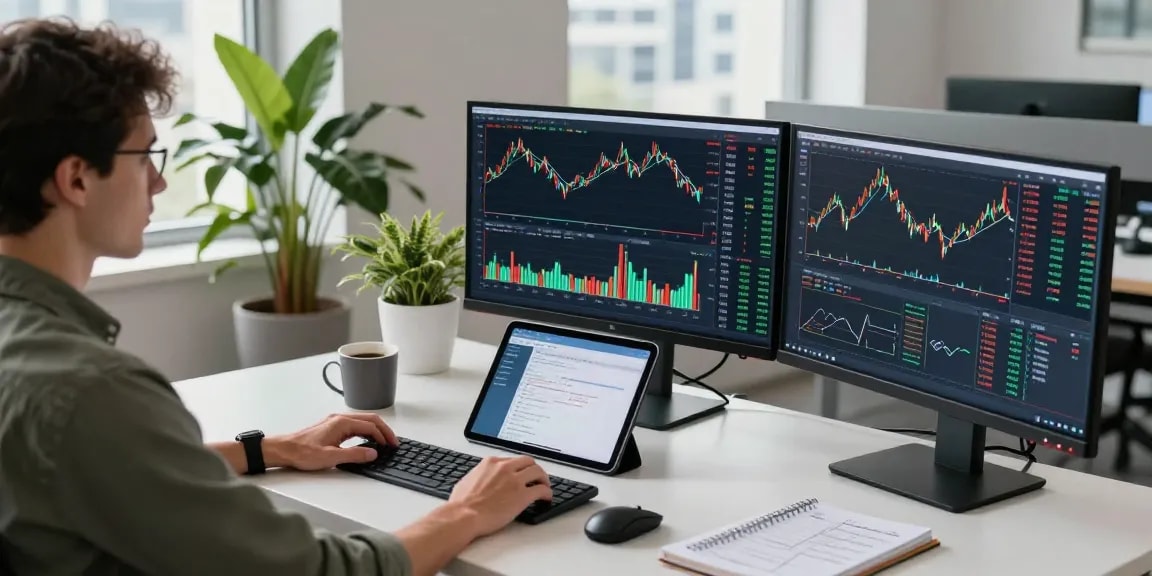
Understanding TradingView: A Comprehensive Guide
In the ever-evolving landscape of trading, having a reliable platform that consolidates all necessary tools for research and analysis is essential. TradingView stands out as a premier charting and analysis tool, catering to traders and investors across various markets including stocks, forex, and cryptocurrencies. Whether you're a seasoned trader or just starting out, mastering TradingView can transform your trading strategy and enhance your decision-making process. In this guide, we will delve into the core features and capabilities of TradingView, exploring how to leverage its tools for effective market analysis.
When exploring options, TradingView provides comprehensive insights that empower you to streamline your trading workflow. From customizable charts to integrated economic calendars, this platform offers the flexibility and functionality needed in today’s fast-paced markets.
What is TradingView?
TradingView is a web-based platform that provides traders with powerful charting tools, in-depth technical analysis, and community insights. Launched in 2012, it has quickly become a favorite among retail and institutional traders alike. The platform allows users to track and analyze financial markets from a single workspace, delivering features like real-time data, market news, and social networking capabilities that connect traders around the world.
Key Features and Tools of TradingView
TradingView is packed with features that make it an indispensable tool for traders:
- Advanced Charting: Users can create highly customizable charts with various time intervals, indicators, and drawing tools.
- Alerts: Set price alerts that notify you via email or mobile app, keeping you updated on significant market movements.
- Community Insights: Engage with other traders by sharing ideas, scripts, and strategies in a vibrant online community.
- Pine Script: A built-in programming language that allows users to create custom indicators and strategies.
- Multi-Device Access: TradingView is accessible on web browsers, mobile apps, and desktop applications, facilitating trading on the go.
Setting Up Your TradingView Account: Step-by-Step
Getting started with TradingView is straightforward. Here’s how to set up your account:
- Visit the TradingView website: Navigate to TradingView and click on the sign-up button.
- Choose your plan: TradingView offers various subscription plans, including a free tier that provides essential features.
- Create your account: Fill in your information, or sign up using your Google account for quick access.
- Customize your profile: Set up your profile, including your trading preferences and areas of interest.
- Explore the interface: Familiarize yourself with the layout, tools, and features available on TradingView.
Maximizing Your Research with TradingView
Effective market research is the backbone of successful trading strategies. TradingView offers an array of features that can help you maximize your research efforts and make informed trading decisions.
How to Create Effective Watchlists
Creating watchlists on TradingView allows you to monitor your favorite stocks, forex pairs, or cryptocurrencies with ease. To create an effective watchlist:
- Identify what to track: Focus on financial instruments that align with your trading goals.
- Use categories: Organize your watchlist by asset type, trading strategy, or market conditions.
- Update regularly: Add or remove assets based on your research and market changes.
Utilizing Alerts for Real-Time Updates
Alerts in TradingView are crucial for staying updated on market movements. Here’s how to set them:
- Define your criteria: Choose specific price points or indicator values that trigger the alert.
- Select notification methods: Decide whether you want to receive alerts via email, SMS, or push notifications.
- Test and refine: Regularly assess your alert settings to ensure they align with your trading strategy.
Integrating Economic Calendars into Your Analysis
Economic events can significantly impact financial markets. By integrating economic calendars into your analysis on TradingView, you can anticipate potential price movements:
- Access the economic calendar: TradingView features an integrated calendar showcasing upcoming economic events.
- Filter events: Choose to view only relevant events that align with your trading strategy and interests.
- Monitor market reactions: Keep an eye on how significant events affect market sentiment and price actions.
Mastering Chart Analysis with TradingView
Chart analysis is a fundamental skill for traders, and TradingView provides the tools necessary to master this aspect of trading.
Different Chart Types and Their Uses
TradingView allows you to choose from several chart types, each serving different analytical purposes:
- Line Charts: Great for visualizing price trends over time.
- Candlestick Charts: Offers detailed information about price movements within specific time frames.
- Bar Charts: Similar to candlesticks but represent open, high, low, and close prices differently, useful for more detailed technical analysis.
Incorporating Technical Indicators Effectively
Using technical indicators can enhance your analysis significantly. Here’s how to incorporate them:
- Choose relevant indicators: Depending on your strategy, select indicators like Moving Averages, RSI, or MACD.
- Combine indicators: Use multiple indicators to confirm signals and improve accuracy.
- Customize settings: Adjust the parameters of indicators to fit your trading style and market conditions.
Customizing Your TradingView Layout for Optimal Use
Your TradingView layout should reflect your trading needs. Here’s how to customize it:
- Arrange your tools: Place frequently used tools and indicators in easily accessible spots.
- Utilize multiple charts: Set up multi-chart layouts to monitor different assets simultaneously.
- Save layouts: Save your customized layout to maintain consistency across sessions.
Building Strategies with Pine Script in TradingView
Pine Script is a powerful feature that allows traders to create custom indicators and strategies. This section will guide you through the basics of using Pine Script.
Introduction to Pine Script: Basics and Benefits
Pine Script is TradingView’s proprietary scripting language designed for writing custom technical indicators and strategies. Here are some benefits:
- Flexibility: Tailor indicators to meet specific trading strategies.
- Community sharing: Publish your scripts to the TradingView community and learn from others’ creations.
- Backtesting capabilities: Test your strategies against historical data to evaluate effectiveness.
Creating Your First Custom Indicator
Start by learning how to create a simple custom indicator:
- Open the Pine Editor: Navigate to the Pine Script editor within TradingView.
- Write your code: Begin with basic functions like moving averages or plot functions.
- Save and apply: Save your script and apply it to your charts to visualize your indicator.
Testing and Optimizing Strategies with Pine Script
Testing your custom strategies is vital. Follow these steps:
- Use the Strategy Tester: Access the Strategy Tester feature to evaluate your strategies on historical data.
- Analyze performance: Check for metrics like win rate, drawdown, and profitability.
- Optimize parameters: Adjust the settings to enhance the effectiveness of your strategy based on backtest results.
The Future of Trading with TradingView in 2026
The trading landscape is constantly evolving, and TradingView is poised to remain at the forefront of these changes. As we head towards 2026, several emerging trends in trading technologies will shape the way traders operate.
Emerging Trends in Trading Technologies
New technologies are expected to revolutionize trading, such as:
- Artificial Intelligence: Utilizing AI for predictive analytics and automated trading strategies.
- Blockchain Technology: Enhancing transparency and security in transactions and data sharing.
- Integration of Social Trading: Facilitating copy trading and sharing of successful strategies among community members.
The Impact of AI and Machine Learning on Trading
AI and machine learning are set to have a profound impact on trading strategies. By analyzing vast amounts of market data, these technologies can identify patterns and trigger trades with unprecedented accuracy.
Preparing for Upcoming Market Changes and Challenges
Adapting to market changes and potential challenges requires proactive measures:
- Continuous education: Stay updated on market trends and new trading tools.
- Diverse strategies: Employ a variety of trading strategies to mitigate risks.
- Networking with traders: Engage with other traders to share insights and strategies.
What are the main benefits of using TradingView?
TradingView offers several benefits, including a user-friendly interface, advanced charting capabilities, and a supportive community for sharing insights and strategies.
How can I customize my TradingView dashboard?
You can customize your TradingView dashboard by arranging tools, modifying chart settings, and saving your workspace layout for quick access to your favorite analyses.
What is Pine Script and how do I use it?
Pine Script is TradingView's programming language that allows you to create custom indicators and strategies. It can be accessed through the Pine Editor interface, where you can write and test your scripts.
Can TradingView help beginners in trading?
Yes, TradingView is very user-friendly and provides resources such as tutorials, community discussions, and ready-made scripts that can help beginners understand trading concepts.
What are the differences between TradingView and competitors?
TradingView stands out due to its community-driven insights, comprehensive range of technical tools, and the ability to access multiple markets from one platform, setting it apart from competitors.